

API backends
Connect an HTTP entry point to functions and a data layer. Keep routes and resources alongside your application.
Build an APIOpen-source · Multi-cloud
One-stop management for the development, deployment and operations of cross-cloud serverless applications.
Apache-2.0Deploy in your cloud
npm install -g @geek-fun/serverlessinsighthello-world-api / production
si deploy --stage prod
| Resource | Type | Change |
|---|---|---|
hello_world_fn | Function | Create |
gateway_event | API Gateway | Create |
assets | Storage | Unchanged |
2 to add0 to modify0 to remove
Proceed? (yes/no):
Resource and command support varies by provider.
Bring your application resources, environments and delivery workflow together. Start with a file. Grow into a shared platform.
Functions, APIs, databases and storage in one configuration.
Understand what will change before it reaches your cloud.
Develop locally and deploy through your existing pipeline.
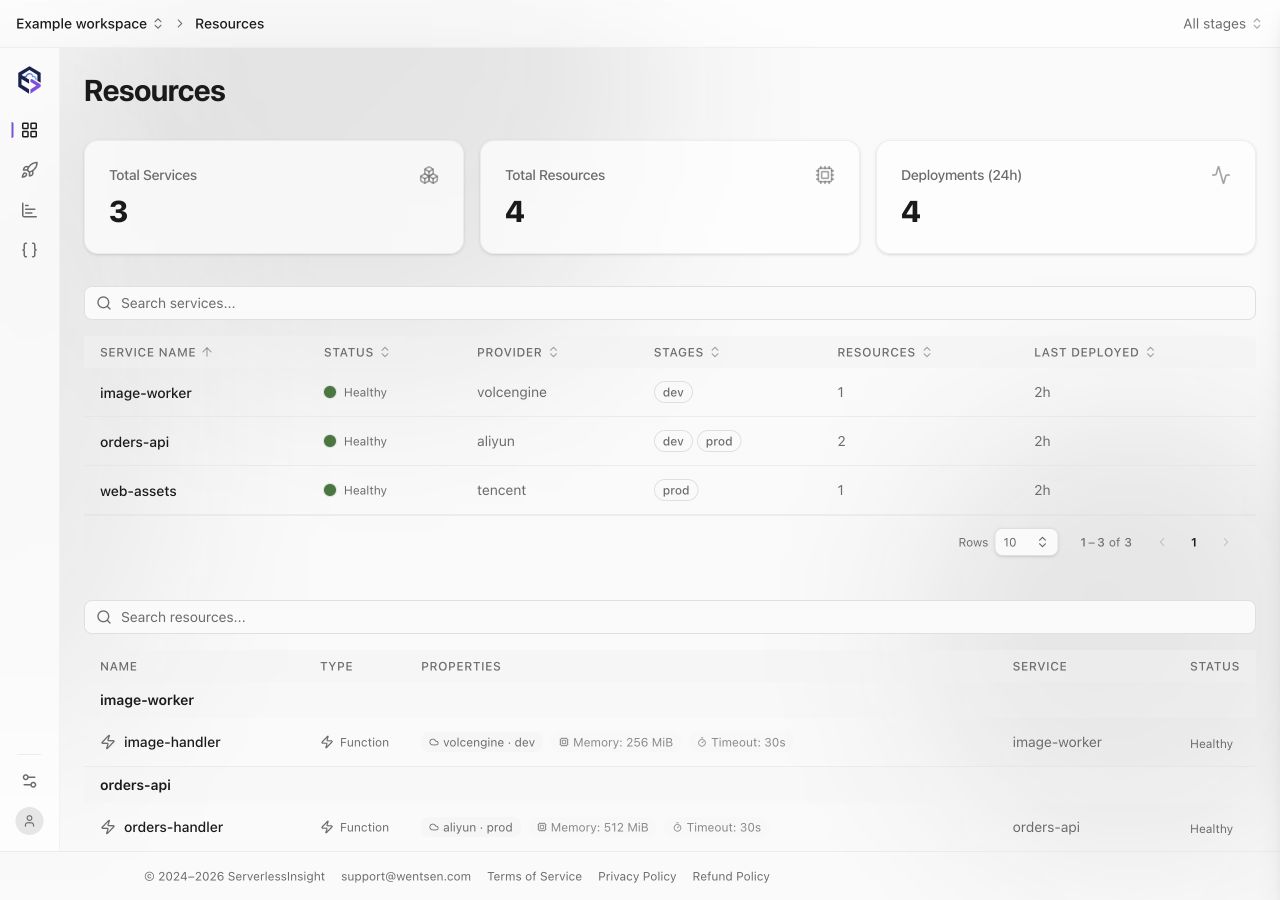
A shared view of services, resources and deployments.
One configuration
Define functions, API entry points, databases and storage in serverlessinsight.yml.
version: 0.1.0
provider:
  name: aliyun
  region: cn-hangzhou
app: hello-world
service: hello-world-api

functions:
  hello_world_fn:
    name: hello-world-fn
    code:
      runtime: nodejs18
      handler: index.handler
path: artifacts/hello-world-api.zipstages:
dev:
memory: 256
prod:
memory: 1024
functions:
hello_world_fn:
memory: ${stages.memory}si diff --stage prodIllustrative changehello_world_fnmemory256 MB 1024 MB
Keep development and production in the same configuration. Preview incremental changes against deployment state, then decide what to apply.
Run and debug functions locally, then use the same CLI in your delivery pipeline. ServerlessInsight fits the way your team already builds.
$ si validate
$ si local --stage dev
{
  "message": "Hello, ServerlessInsight!"
}
Local development and resource support vary by provider.
Develop locally, validate your configuration, then deploy to your cloud.
si localRun and debug your application locally.
si validateCheck the configuration before deployment.
si deployReview and apply incremental changes.
Move from individual commands to a common workspace. Explore application resources, follow deployment history and give your team a consistent place to work.
Start with a familiar application pattern and connect the cloud resources it needs.
Connect an HTTP entry point to functions and a data layer. Keep routes and resources alongside your application.
Build an APIDefine static assets, API entry points and storage together. Manage the application as a complete stack.
Explore storageUse timer-triggered functions for recurring application tasks and background processing.
Explore functionsReview the source, keep your configuration in Git and deploy resources into your own cloud account.
Start with a free allowance, then pay for managed resource usage beyond it. Functions, storage and databases share one billing unit: AMR.
Start on Developer for personal projects. A Team subscription adds more included resources and collaboration. Enterprise supports tailored requirements.
Explore plans and usage ratesCloud infrastructure is billed separately by your provider.
Example resource usage3 AMR / month
Illustrative usage based on resource weights. Stage eligibility and monthly counting rules are detailed on the pricing page.
The CLI is open source under Apache-2.0. Developer, Team and Enterprise plans provide platform capabilities and managed resource allowances. Full details are on the pricing page. Your cloud provider bills cloud usage separately.
No. ServerlessInsight charges cover the platform and managed resource usage. Functions, databases, storage and other cloud services are billed separately by your cloud provider.
Application resources are deployed into the cloud account and region you configure. ServerlessInsight manages their definition and deployment workflow.
Resource types and command support differ between providers. Check the configuration reference for the current support matrix before choosing your target cloud.
Yes. The CLI can run in your existing pipeline with the appropriate cloud credentials, configuration and environment settings. It does not require a particular CI/CD vendor.
Yes. Start with the Developer allowance and choose Team when you need more members, workspaces, resources or automated deployment. Full allowances and billing rules are available on the pricing page.
Define your application. Understand the changes. Deploy with confidence.